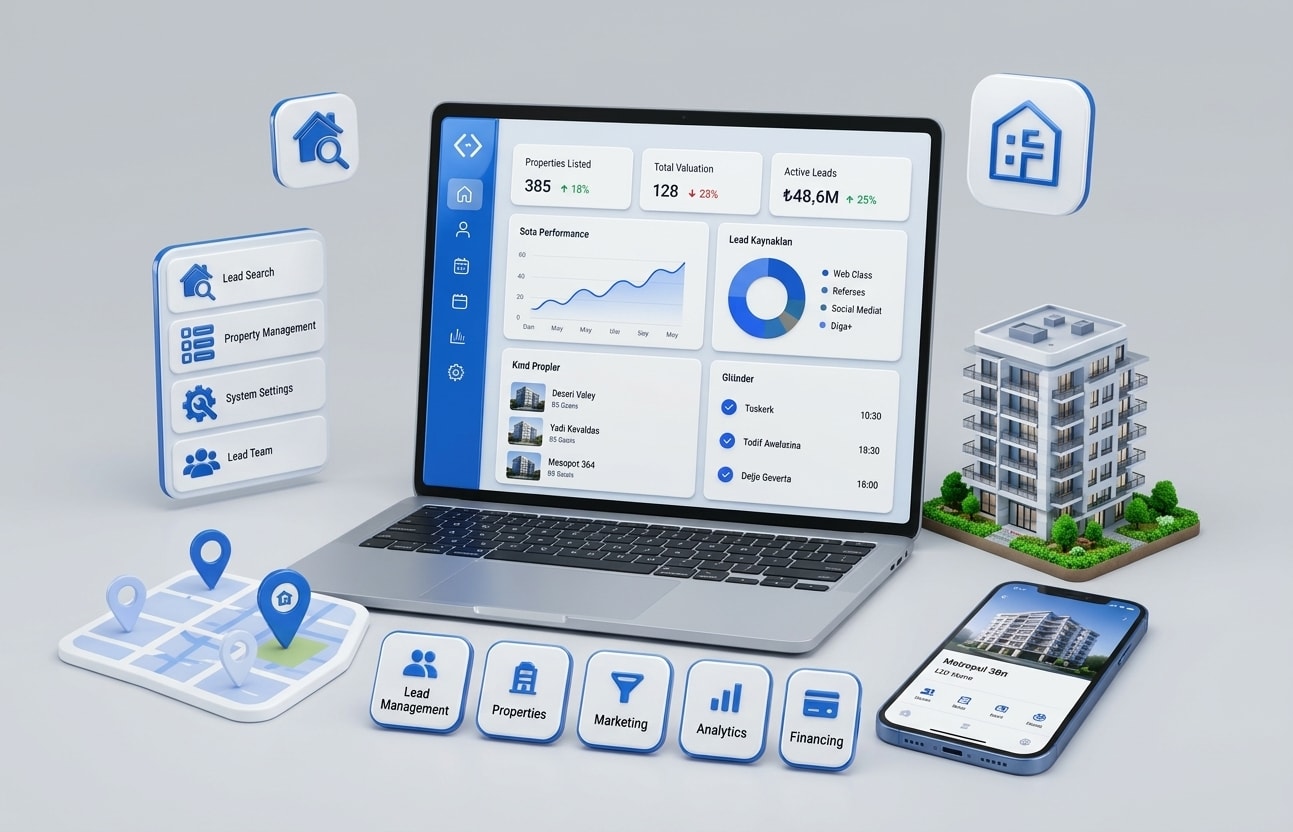
AI for real estate means using software that answers leads instantly, qualifies them, books showings, updates the CRM and handles routine questions, so agents spend their time with serious buyers and sellers. It works best as one connected system across phone, text, CRM, calendars and listings, not as a pile of separate tools.
This guide is for brokerage owners, team leads, property management companies, developers and proptech founders. It covers where real estate businesses lose leads, the AI use cases that matter most, what a connected system looks like, property management, compliance for AI calls, rollout steps, costs, and what we build for real estate.
Key takeaways
- Speed wins in real estate: buyers and sellers often go with whoever responds first.
- The highest-value AI use cases are lead follow-up, call answering and automatic CRM updates.
- Connected systems beat separate tools: AI should read and write to your CRM, calendar and listings.
- AI voice calls to leads need prior consent under the TCPA.
- Agents should stay in control of pricing advice, negotiation and anything that affects fair housing.
- Start with one workflow, measure response time and appointments, then expand.
What is AI for real estate?
AI for real estate is the use of artificial intelligence to handle repetitive work across a real estate business, such as responding to inquiries, qualifying buyers and sellers, scheduling showings, writing listing content, answering tenant questions and updating records. It supports agents and property managers rather than replacing their relationships and judgment.
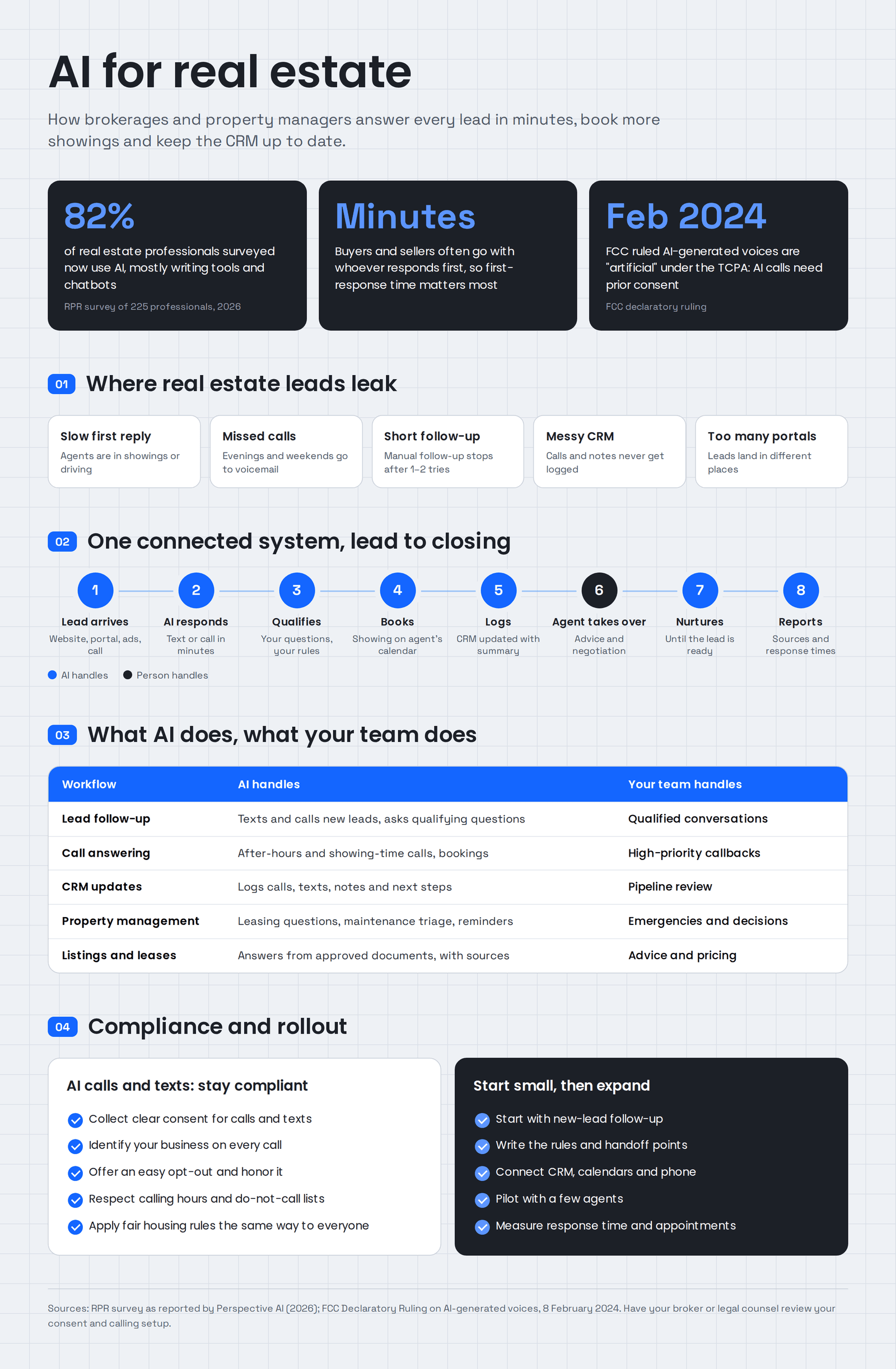
Adoption is already high. A 2026 survey by Realtors Property Resource (RPR), reported by Perspective AI, found that 82% of the 225 real estate professionals surveyed now use AI, mostly writing tools and chatbots. The gap is that most of these tools work alone, so leads still slip between them.
Why do real estate businesses lose leads?
Real estate businesses lose leads because responses are slow, calls go unanswered during showings and after hours, follow-up stops after one or two attempts, and lead details sit in inboxes instead of the CRM. Buyers and sellers often contact several agents at once and choose whoever responds first and most helpfully.
The usual leak points:
- Slow first response. Agents are in showings, closings or driving when a lead comes in.
- Missed calls. Evening and weekend calls go to voicemail, and many callers don't leave one.
- Short follow-up. Most leads need several touches, but manual follow-up stops early.
- Messy CRM. Agents don't log calls and notes, so teams lose track of who said what.
- Too many portals. Leads arrive from websites, Zillow, Realtor.com, Facebook and referrals, each in a different place.
None of these are marketing problems. You're already paying to generate the leads. They're response and process problems, which is exactly where AI helps.
How does AI help real estate businesses?
AI helps real estate businesses by responding to every lead within minutes, qualifying them with the right questions, booking showings and calls, logging every conversation in the CRM, answering routine questions from listings and documents, and preparing reports. Agents then step in for the conversations that need a person.
| Use case | What AI does | What the agent or manager does |
|---|---|---|
| Lead follow-up | Texts and calls new leads within minutes, asks qualifying questions | Takes over qualified conversations |
| Call answering | Answers calls after hours and during showings, books appointments | Calls back high-priority leads |
| CRM updates | Logs calls, texts, notes and next steps automatically | Reviews pipeline, not data entry |
| Showing scheduling | Offers times from the agent's calendar and confirms | Shows the property |
| Listing and document questions | Answers from approved listing details, HOA rules or leases | Handles negotiation and advice |
| Marketing content | Drafts listing descriptions, emails and posts for review | Approves and personalizes |
| Reporting | Summarizes leads, sources, response times and deals | Decides where to spend |
AI lead follow-up and qualification
AI lead follow-up contacts every new lead within minutes by text and, with consent, by phone. It asks the questions an agent would: buying or selling, timeline, area, budget, pre-approval, and whether they're working with another agent. Qualified leads are booked straight onto the agent's calendar; others go into a longer nurture sequence.
The key is that the system follows your rules. You decide the sequence, the questions, the hours, and the moment it hands over to a person.
AI voice agents for calls
AI voice agents answer calls when your team can't, in a natural voice, at any hour. They can answer listing questions, qualify the caller, book a showing and send a summary to the right agent. For outbound calls to leads, consent rules apply (see the compliance section below).
Automatic CRM updates
Agents rarely enjoy updating the CRM, so data quality suffers. AI can log every call, text and email to the right contact in tools like Follow Up Boss, kvCORE or HubSpot, add notes and next steps, and update lead status, so managers see an accurate pipeline without chasing agents.
Listing, document and lease assistants
AI assistants can answer questions from your approved content: listing details, HOA rules, lease terms, move-in steps or office policies. Using retrieval-augmented generation (RAG), the assistant first finds the relevant passage and then answers from it, with a link to the source, so staff can check it.
Reporting and market insight
AI can summarize which lead sources turn into appointments and closings, how fast each agent responds, and which listings get the most interest. That helps brokerages spend marketing money where it actually produces deals.
What does a connected real estate AI system look like?
A connected real estate AI system links your lead sources, phone and text, AI follow-up, CRM, calendars, listings and reporting, so every lead is answered, qualified, booked and logged in one flow. Separate tools that don't share data leave gaps where leads get lost.
A typical flow:
- A lead arrives from your website, a portal, social ads or a phone call.
- AI responds within minutes by text or, with consent, by phone.
- AI qualifies the lead using your questions and rules.
- AI books a showing or call on the right agent's calendar.
- Everything is logged in the CRM with a summary and next step.
- The agent takes over for the conversation that needs a person.
- Unready leads enter a nurture sequence that keeps in touch until they're ready.
- Managers see reporting on sources, response times and outcomes.
This is how our own product, Zonified Connect, works. Voice and SMS agents connect to HubSpot, Google and Outlook calendars, Vapi and Twilio. They contact each new lead on the business's own sequence, log every conversation and book an appointment only after the lead confirms a time. The moment a person takes over, the automation steps back.
AI for property management
AI for property management handles tenant and owner communication, maintenance requests, leasing inquiries, showing scheduling, rent reminders and reporting. It answers routine questions instantly and routes urgent or complex issues to the right person, so small teams can manage more units without slower service.
Common property management workflows:
- Leasing inquiries. AI answers availability, pricing and pet policy questions and books tours.
- Maintenance requests. Tenants report issues by text or chat with photos; AI sorts them by urgency and creates work orders.
- Tenant questions. Answers from the lease and community rules, with the source shown.
- Rent and renewal reminders. Scheduled messages that follow your rules.
- Owner reporting. Monthly summaries of occupancy, maintenance and income.
Emergencies such as gas leaks, floods or safety issues should always go straight to a person, with a clear escalation path built into the system.
Should you buy AI tools or build custom real estate software?
Buy off-the-shelf AI tools when one tool covers your need and works with your CRM. Build custom real estate software when you need several systems connected, your process sets you apart, you want to own your data, or you're building a product for other agents or tenants. Many brokerages combine both.
| Factor | Off-the-shelf tools | Custom real estate software |
|---|---|---|
| Speed to start | Days | Weeks to months, in phases |
| Fit to your process | You adapt to the tool | Built around your process |
| Connections | Limited to the tool's integrations | Connects your CRM, phone, listings and data |
| Data ownership | Stored by the vendor | Yours |
| Branding | Vendor's look | Your brand, including apps for agents or clients |
| Cost over time | Per-seat fees grow with your team | Build cost plus hosting and support |
Custom real estate software development makes most sense for brokerages with many agents, property management companies with their own processes, franchises that want one branded platform, and proptech startups building a product. For branded platforms used by many offices or teams, white label software lets each office run the same system under its own brand.
Is it legal to use AI to call and text real estate leads?
Yes, with the right consent. On 8 February 2024, the FCC ruled that AI-generated voices count as artificial voices under the Telephone Consumer Protection Act, so AI calls to leads need their prior express consent, and written consent for marketing calls. Texts, do-not-call rules and state laws also apply.
The FCC's ruling means a compliant setup should:
- Collect clear consent on your forms that covers calls and texts, including AI-generated voice where you use it.
- Identify your business at the start of every call and message.
- Offer an easy opt-out and honor it immediately.
- Respect calling hours and do-not-call lists.
- Keep records of consent and every conversation.
Fair housing rules also apply. AI must not steer buyers or renters based on protected characteristics, and screening criteria should be applied the same way to everyone. Keep agents in charge of advice, pricing and decisions, and have your broker or legal counsel review your setup.
How do you roll out AI in a brokerage?
Roll out AI in a brokerage by starting with one workflow, usually new-lead follow-up, setting the rules and handoff points with your agents, connecting it to your CRM and calendars, testing it on a small group, measuring response time and appointments, then expanding to calls, nurture and reporting.
- Pick one workflow. New online leads are usually the best start.
- Write the rules. Questions to ask, hours, tone, when to hand over and what never to say.
- Connect your systems. CRM, calendars, phone numbers and lead sources.
- Set up consent and compliance. Update forms and scripts before any AI calls go out.
- Pilot with a few agents. Review every conversation for the first weeks.
- Measure. Response time, contact rate, appointments booked and deals closed.
- Expand. Add after-hours calls, nurture sequences, listing assistants and reporting.
Want to see where your leads are leaking? Book a 30-minute call with our CTO for a free speed-to-lead review. We'll look at how fast your team responds today and where AI would help most.
How much does real estate AI and software cost?
The cost of real estate AI and software depends on whether you use off-the-shelf tools, connect them with integrations, or build custom software. Costs grow with the number of systems connected, call and message volume, custom features, apps and compliance requirements. Starting with one workflow keeps the first phase small.
What moves the cost:
| Driver | Lower cost | Higher cost |
|---|---|---|
| Scope | One workflow, such as lead follow-up | Full platform with apps and portals |
| Integrations | One CRM and calendar | CRM, phone, listings, accounting and portals |
| Volume | A small team's leads | Thousands of calls and texts each month |
| Channels | Text only | Text, voice, chat and email |
| Custom features | Standard flows | Custom qualification, reporting and branding |
Also plan for running costs: phone and messaging fees, AI usage, hosting and support. Compare these with what slow follow-up already costs you in lost deals.
What we build for real estate
We build AI and software that help real estate businesses respond faster, stay organized and give clients a better experience. Most projects start with lead follow-up and grow from there.
- AI lead follow-up and booking: voice and SMS agents that contact, qualify and book every lead, based on Zonified Connect.
- AI voice agents: answer calls after hours and during showings.
- CRM and system integrations: our AI integration services connect AI to your CRM, calendars and listing data.
- AI agents for back-office work: transaction checklists, document collection and reporting.
- Listing and lease assistants: RAG development for answers grounded in your documents.
- Apps and portals: mobile app development for agents, buyers, tenants and owners.
- Branded platforms: white label systems for franchises and multi-office teams.
- Reporting: enterprise data and analytics dashboards for lead sources, agent performance and portfolios.
- SEO content: Zonified Rank for neighborhood and listing content that brings in organic leads.
Answer every lead first
You already pay to generate leads. The fastest way to grow is to answer every one of them in minutes, follow up until they're ready, and keep your CRM accurate without asking agents to type.
AllZone Technologies builds AI lead follow-up, voice agents, CRM integrations, apps and analytics for brokerages, property managers and proptech teams. See how Zonified Connect works or contact us to plan your first workflow.