Every patient visit ends up as a set of codes. Diagnoses become ICD-10-CM codes, procedures become CPT or ICD-10-PCS codes, and supplies and services become HCPCS codes. Those codes decide what gets billed, what gets paid and what gets denied.
The work behind them is slow and detailed. Coders read notes, reports and orders, check payer rules and assign codes one encounter at a time. When volumes rise or coders are short, claims wait, denials grow and cash flow slows.
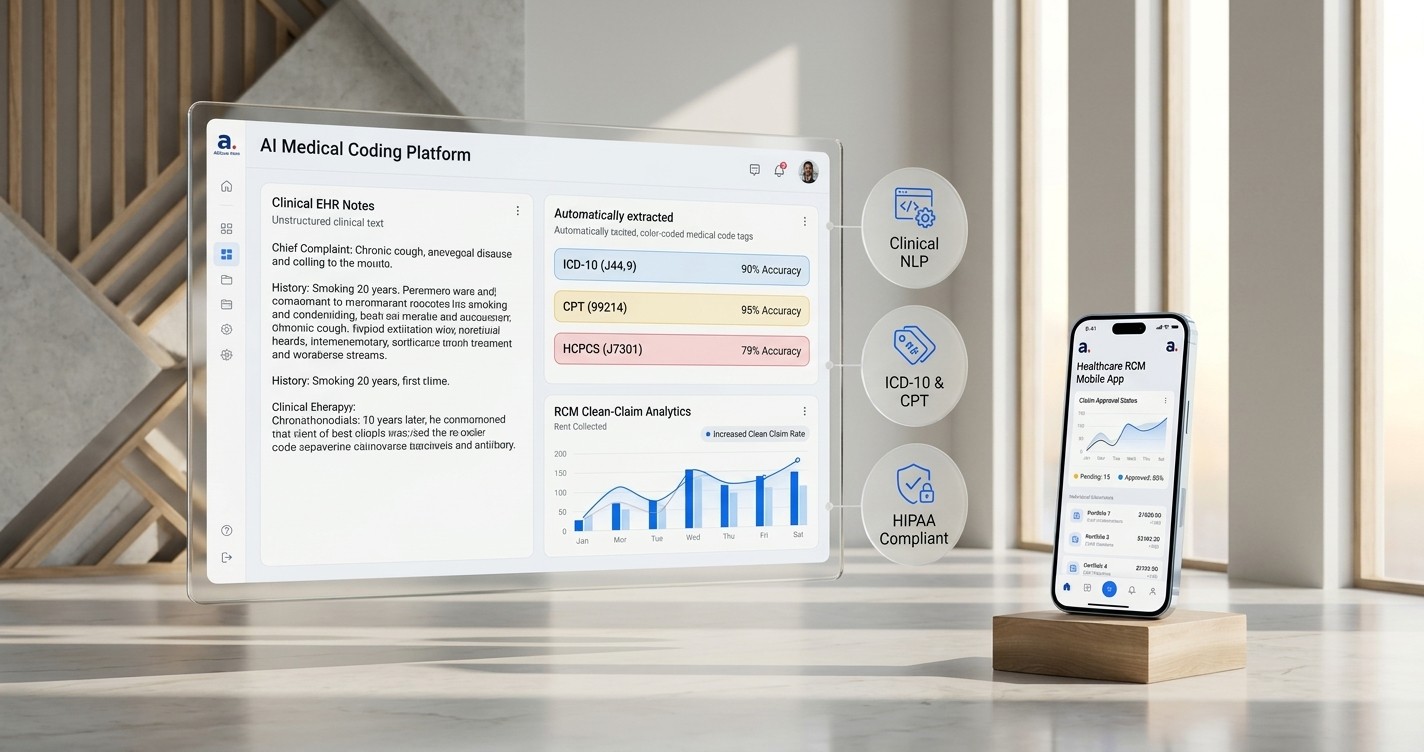
Medical coding automation uses AI to read clinical documentation, suggest or assign codes with the evidence behind each one, and send uncertain cases to a certified coder. Done well, it shortens the time from visit to claim without giving up accuracy or compliance.
This guide explains how medical coding automation tools work and which encounters they fit. It also covers what to look for in a tool, how to stay compliant and how to prove results with one specialty.
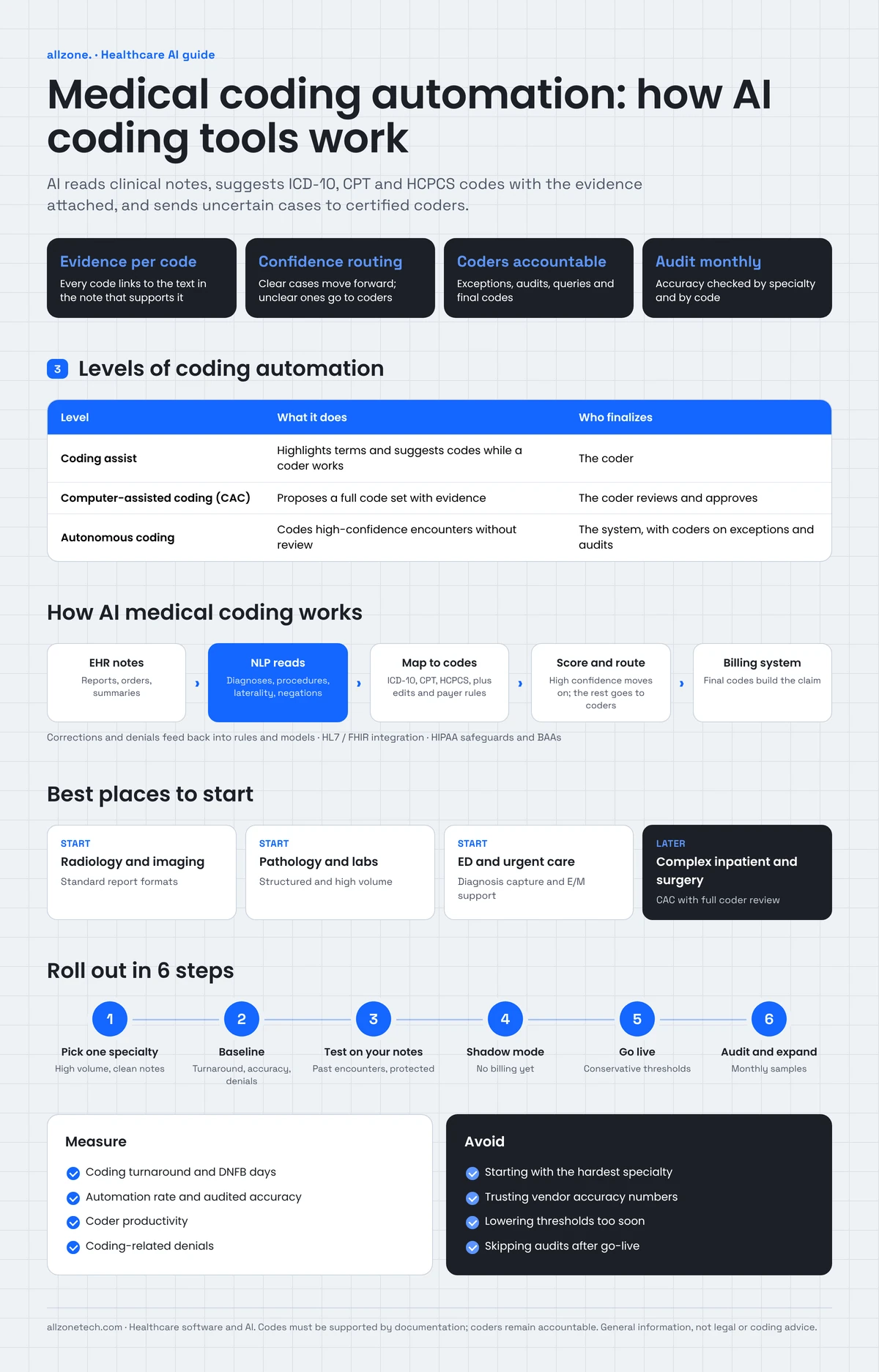
Quick answer: Medical coding automation reads clinical notes with natural language processing (NLP), suggests ICD-10, CPT and HCPCS codes with the supporting text highlighted, and sends low-confidence cases to coders. Most organizations start with high-volume, well-documented encounter types, keep certified coders accountable for final codes, and audit a sample of automated work every month.
Key takeaways
- Automation works best on high-volume encounters with consistent documentation. Complex inpatient cases still need experienced coders.
- Every suggested code should link to the exact text in the note that supports it. A code without evidence is a compliance risk.
- Confidence thresholds decide what is automated and what goes to a person. Set them conservatively and loosen them only with audit data.
- Coding automation is only as good as documentation. Pair it with clinical documentation improvement (CDI).
- Measure turnaround, accuracy, denials and coder productivity against a baseline before and after go-live.
What is medical coding automation?
Medical coding automation is the use of software, usually AI, to turn clinical documentation into billing and reporting codes with less manual work. It sits between the EHR, where documentation lives, and the billing system, where claims are built.
There are three main levels:
| Level | What it does | Who finalizes the code |
|---|---|---|
| Coding assist | Highlights key terms and suggests possible codes while a coder works | The coder |
| Computer-assisted coding (CAC) | Reads the full encounter and proposes a complete code set with evidence | The coder reviews and approves |
| Autonomous coding | Assigns codes and sends the claim on without review when confidence is high | The system, with coders reviewing exceptions and audit samples |
Most organizations use a mix. A radiology group might code routine studies autonomously, while a hospital uses CAC for inpatient stays and keeps a coder on every case.
Why coding is a bottleneck
- Volume keeps growing. More visits, more telehealth and more documentation per visit mean more to code.
- The code sets change every year. ICD-10-CM updates take effect each October, and CPT updates each January. Coders and tools both have to keep up.
- Documentation is inconsistent. Notes written in a hurry, copied forward or missing key details force coders to stop, query the physician and wait.
- Payer rules add another layer. Edits such as Medicare's National Correct Coding Initiative (NCCI) and payer-specific policies decide which code combinations are accepted.
- Experienced coders are hard to hire. Many organizations rely on outsourced or remote coders, which adds handoffs and cost.
- Delays cost money. Every day an encounter sits uncoded is a day the claim isn't filed. For hospitals, this shows up as discharged-not-final-billed (DNFB) days.
How AI medical coding tools work
- Collect the documentation. The tool pulls the encounter from the EHR: progress notes, operative reports, radiology and pathology reports, orders, problem lists and discharge summaries.
- Read it with NLP. Natural language processing finds diagnoses, procedures, body sites, laterality, severity, negations ("no evidence of fracture") and timing.
- Map findings to codes. The model maps what it found to ICD-10-CM, CPT, ICD-10-PCS and HCPCS codes, adds modifiers where needed, and checks code combinations against edits and payer rules.
- Show the evidence. Each suggested code links to the sentence in the note that supports it, so a coder or auditor can check it in seconds.
- Score confidence and route. High-confidence encounters move forward automatically or with a quick review. Low-confidence or complex encounters go to a coder's queue.
- Learn from corrections. Every coder change and every denial feeds back into the rules and models, so accuracy improves over time.
The most important part is step 4. If a tool can't show why it chose a code, your coders can't defend it in an audit.
Where coding automation fits best
Good starting points share three traits: high volume, consistent documentation and a limited set of codes. Common examples include:
- Radiology and imaging reports, which follow standard formats
- Pathology and lab reports
- Emergency department and urgent care visits, for diagnosis capture and evaluation and management (E/M) support
- Primary care and outpatient office visits
- Therapy and behavioral health sessions with structured notes
Harder areas include complex inpatient stays, surgery with multiple procedures, oncology and anything with frequent payer disputes. These are better suited to CAC with full coder review.
What to look for in medical coding automation tools
| Capability | Why it matters |
|---|---|
| Evidence links for every code | Coders and auditors can verify each code against the note |
| Configurable confidence thresholds | You decide what's automated, by specialty and payer |
| Current code sets and edits | Annual ICD-10 and CPT updates, NCCI edits and payer rules applied on time |
| EHR integration | Reads documentation through HL7 or FHIR interfaces or the EHR vendor's APIs, with no copy and paste |
| Billing system integration | Sends finalized codes to your billing or practice management system |
| Coder workbench | A fast review screen that shows the note, the codes and the evidence side by side |
| Audit trail | Records who or what assigned each code, and every change |
| Reporting | Turnaround, accuracy, automation rate, denials by coding reason |
| HIPAA safeguards | Encryption, access control, a business associate agreement (BAA) and no training on your data without consent |
Ask every vendor to run a test on your own de-identified or properly protected encounters. Their accuracy on your notes is what matters, not a number from someone else's data.
Free coding workflow review
Pick one specialty. In a 30-minute call, we'll walk through how its encounters are coded today, show where automation would save the most coder time, and outline what a pilot would connect to. See our healthcare software services
Accuracy, compliance and the coder's role
Automation changes how coders spend their time, not who's accountable.
- Codes must be supported by documentation. A tool that suggests codes the note doesn't support creates risk, not revenue. Upcoding, even by accident, can lead to repayments, audits and liability under the False Claims Act.
- Coders stay responsible. Certified coders review exceptions, handle complex cases, answer physician queries and own the final result.
- Audit continuously. Review a random sample of automated encounters every month, plus targeted samples for high-risk codes. Track accuracy by specialty and by code.
- Protect patient data. Coding tools handle protected health information, so they need HIPAA safeguards and a BAA with every vendor in the chain, including AI model providers.
- Keep a compliance program in place. Follow the HHS Office of Inspector General's compliance program guidance, and involve your compliance team before go-live.
Coding automation and clinical documentation improvement
Coding can only be as accurate as the documentation behind it. The same AI that reads notes for coding can also flag gaps while there's still time to fix them:
- a diagnosis mentioned without its type or severity
- a procedure without laterality
- conflicting information between notes
- missing details that a payer requires
These flags go to your CDI team, who query the physician in a compliant way. Better documentation then raises the share of encounters that can be coded automatically, and it improves quality reporting at the same time.
How coding automation connects to your EHR and billing systems
Coding automation shouldn't become another system for coders to log into. It should sit between the systems you already use:
- The EHR sends signed documentation through HL7 or FHIR interfaces, or the EHR vendor's APIs.
- The coding engine reads the encounter, suggests codes with evidence and routes the encounter by confidence.
- The coder workbench shows exceptions for review.
- The billing or practice management system receives final codes and builds the claim.
- A data platform stores coding results, edits and denials for reporting.
Clinical data is messy. Source systems name and structure the same information in different ways, so mapping matters. We solved a similar problem in Affine Foundry, a healthcare data platform that maps clinical and operational sources into the OMOP Common Data Model. It runs validated, versioned pipelines, handles HL7 and FHIR at ingestion, and applies privacy and access rules inside the pipeline. Read the Affine Foundry case study.
Beyond coding: other admin work clinics and hospitals automate
Coding is one part of a wider push to cut administrative work in healthcare. The same building blocks of document AI, workflow automation and AI assistants also help with:
- Patient intake and eligibility checks before the visit
- Prior authorization packets, assembled from the chart for staff to submit
- Referral and document processing, with faxes and PDFs sorted and filed into the right record
- Scheduling and reminder calls, handled by AI voice agents with handoff to staff
- Hospital workflow automation, such as bed status updates, discharge checklists and internal task routing
We cover these in our guides to AI automation in healthcare, AI voice agents for healthcare and patient management system features.
Buy a coding tool or build a custom layer?
Several established vendors sell CAC and autonomous coding products, and some EHRs include coding assist features. Buying makes sense when a product supports your specialties, EHR and billing system, and its accuracy holds up on your own encounters.
A custom layer makes sense when:
- you need to connect several EHRs or billing systems, often after mergers
- your specialty or workflow isn't well covered by packaged tools
- you want one coder workbench across in-house and outsourced coders
- you need your own reporting, audit sampling or routing rules
- you're a billing company or coding service building automation into your own product
Many organizations combine both: they buy a coding engine and build the integrations, workbench and reporting around it.
How to implement medical coding automation: 6 steps
- Pick one specialty or encounter type. Choose high volume and consistent documentation, such as radiology or outpatient visits.
- Measure a baseline. Record coding turnaround, coder productivity, accuracy from recent audits, coding-related denials and backlog.
- Test on your own encounters. Run the tool on a protected sample of past encounters and compare its codes with what your coders assigned.
- Run in shadow mode. Let the tool code live encounters alongside your coders without sending anything to billing. Compare and fix.
- Go live with conservative thresholds. Automate only the highest-confidence encounters, and keep coder review on everything else.
- Audit, then expand. Review monthly samples. Lower thresholds or add specialties only when accuracy holds.
Not sure which specialty to start with? A short discovery workshop can map your coding workflow and pick the first use case.
Common mistakes when automating medical coding
- Starting with the hardest specialty. Complex inpatient or surgical coding is a poor first project. Start where documentation is consistent.
- Trusting vendor accuracy numbers. Accuracy measured on someone else's notes tells you little. Test on your own encounters.
- Setting thresholds too low too soon. Automating borderline encounters raises error and denial rates. Loosen thresholds only when audits support it.
- Ignoring documentation quality. If notes are vague, no tool can code them well. Fix documentation through CDI alongside automation.
- Leaving coders out of the project. Coders know the edge cases, payer quirks and specialty rules. Involve them from the first test.
- Skipping audits after go-live. Accuracy can drift when code sets, templates or payer rules change. Keep auditing every month.
- Forgetting the denial loop. Coding-related denials are the best signal of what to fix. Feed them back into rules and training.
Questions to ask a medical coding automation vendor
- Can we test the tool on our own encounters before we sign?
- Does every suggested code link to the supporting text in the note?
- Can we set confidence thresholds by specialty, encounter type and payer?
- How quickly do you apply annual ICD-10-CM and CPT updates, and NCCI edits?
- How does the tool connect to our EHR and billing system?
- What audit trail and reporting do we get?
- Will you sign a business associate agreement, and do you or your AI providers train models on our data?
- What happens to accuracy and support when our documentation templates change?
What to measure
| Metric | What it shows |
|---|---|
| Coding turnaround time | How fast encounters move from signed note to final codes |
| DNFB days (hospitals) | Revenue waiting on coding |
| Automation rate | Share of encounters coded without manual changes |
| Coding accuracy (audited) | Share of codes confirmed correct in audit samples |
| Coder productivity | Encounters reviewed per coder hour |
| Coding-related denials | Denials caused by code errors or missing documentation |
| Physician query volume | Documentation gaps found and fixed |
What does medical coding automation cost?
Cost depends on:
- the specialties and encounter volume you automate
- the number of EHRs and billing systems you connect
- whether you buy a product, build a custom layer or combine both
- hosting, security and HIPAA requirements
- the audit, reporting and workbench features you need
Vendors often price per encounter or per chart. A custom integration layer is usually a project cost plus ongoing support. Starting with one specialty keeps the first investment focused and the results easy to measure. Our AI development cost guide explains the main price drivers.
Illustrative example: radiology coding at a multi-specialty group
A multi-specialty outpatient group reads several hundred imaging studies a day. Its coding team is behind, and radiology claims often wait several days for coding.
The group starts with radiology because reports follow a standard structure. It connects the coding engine to its EHR through existing interfaces, and sends finalized codes to its practice management system. For the first month, the tool codes in shadow mode while coders compare results. Then the group automates only high-confidence studies, while coders review everything else and audit a sample of automated studies each week.
After the pilot, the team compares turnaround, accuracy and coding-related denials with its baseline before deciding whether to add outpatient office visits next.
Ready to reduce your coding backlog?
Tell us which specialty or encounter type takes your coders the most time. We'll map the workflow, show where automation fits and plan a pilot that connects to your EHR and billing system.
Explore our healthcare software development services or book a 30-minute call with our CTO.