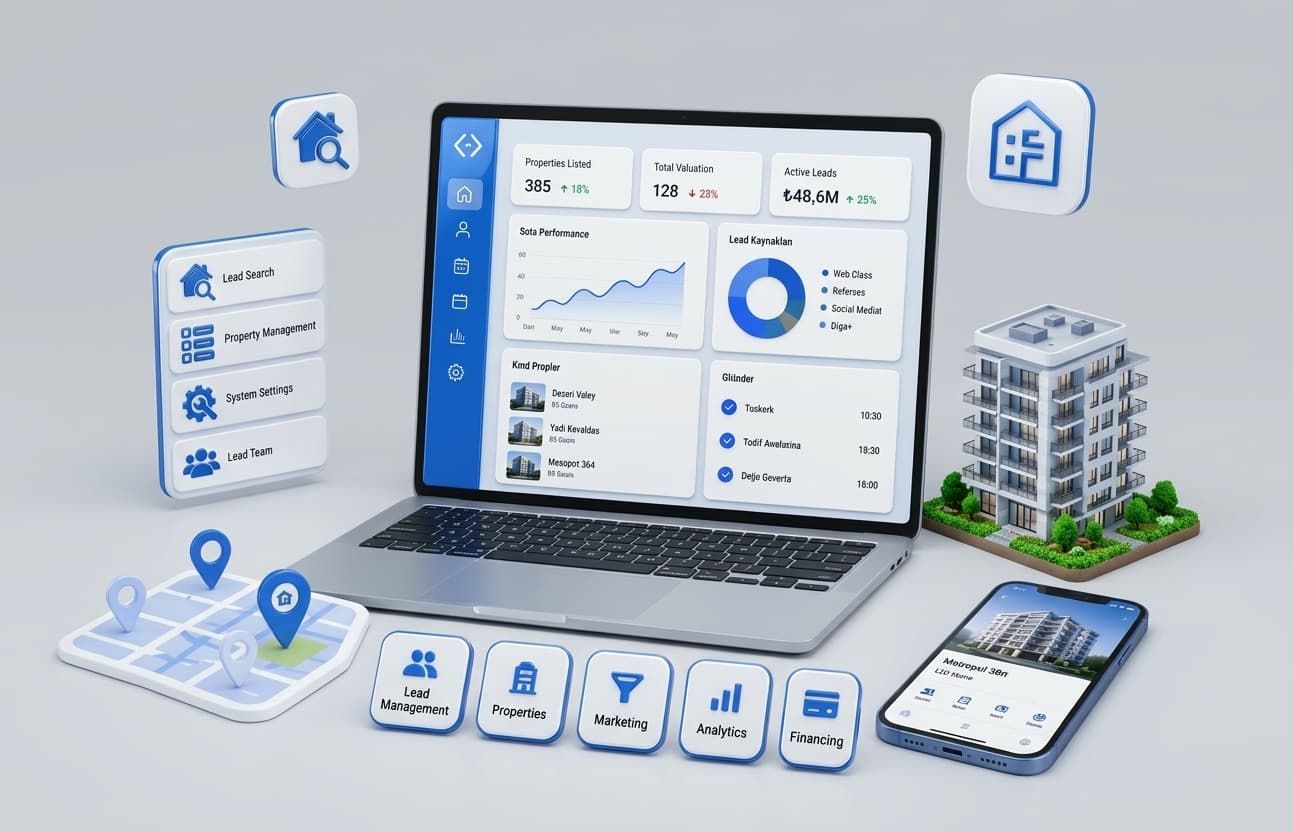
AI ERP integration means connecting an AI assistant or agent to your ERP and CRM so it can read approved data, answer questions and take limited actions inside the systems you already run. It needs secure API or database access, permissions that match each user, a place to store context, and human approval for anything that changes money, stock or customers.
This guide is for CTOs, operations, finance and customer service leaders. It explains what an AI assistant needs to connect to your ERP, the main integration methods, how much setup work to expect, where agents should store knowledge, how to build AI search across CRM, email and files, how built-in ERP AI compares with custom AI, and best practices, with examples from systems we've built.
Key takeaways
- Your ERP and CRM stay the systems of record. AI reads from them and proposes or makes small, approved changes.
- The most important requirement isn't the AI model. It's clean data access with the same permissions your staff have.
- Start read-only: answering questions and preparing reports is lower risk than taking actions.
- Built-in assistants such as SAP Joule or Microsoft Copilot suit work inside one vendor's system. Custom AI suits work that crosses several systems.
- Agents need a deliberate memory design: live data stays in your systems, reference knowledge goes in a searchable index.
- Every action an AI takes should be logged and reversible, with approval for anything sensitive.
What is AI ERP integration?
AI ERP integration is the process of connecting artificial intelligence, such as an AI assistant, chatbot or agent, to an enterprise resource planning system and related systems like CRM. The AI can look up orders, stock, invoices and customers, answer questions in plain language, prepare reports and, with approval, create or update records.
In practice, it usually takes one of four forms:
- An assistant staff ask questions, such as "which orders are late this week and why?"
- An agent that completes a task across systems, such as matching an invoice to a purchase order and flagging differences.
- Automation with AI inside it, such as reading supplier emails and drafting purchase order updates.
- A search layer that answers questions across ERP, CRM, email and documents at once.
If you want the wider picture first, our guide to how to integrate AI into existing systems covers AI integration beyond ERP and CRM.
What do you need to connect an AI assistant to your ERP?
To connect an AI assistant to your ERP, you need secure access to the data (an API, database connection or integration layer), user permissions enforced in code, a defined list of what the assistant may read and do, a place to store reference knowledge, logging of every request and action, and a person accountable for approving sensitive actions.
Here's the full checklist:
- Access method. ERP APIs, a read replica of the database, or an integration layer for older systems.
- Identity and permissions. The assistant acts as the signed-in user and sees only what that user can see.
- A tool list. Specific actions the assistant can call, such as "get order status" or "draft credit note". Not open-ended database access.
- Business definitions. What "late order", "net revenue" or "active customer" means in your company.
- Reference knowledge. Policies, procedures and product documents in a searchable index.
- Approval rules. Which actions need a person to approve, and who.
- Logging and audit. Every question, data access and action recorded.
- A test set. Real questions with known correct answers, used before launch and after every change.
The checklist is the same whether your ERP is SAP, Microsoft Dynamics 365, Oracle, NetSuite, Odoo or a custom system. What changes is how easy the access method is.
What are the main ways to connect AI to ERP and CRM?
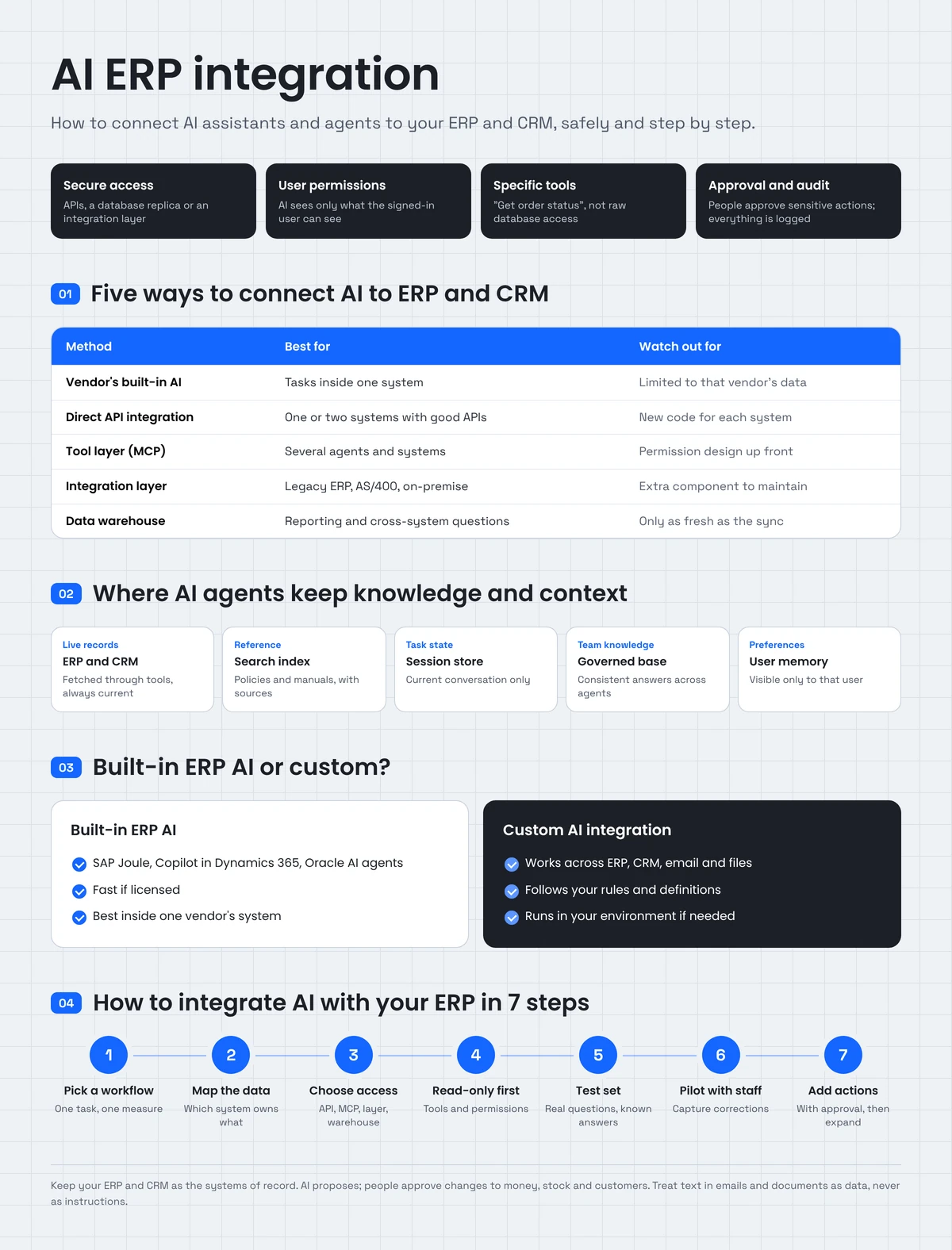
The main ways to connect AI to ERP and CRM are: using the vendor's built-in AI, calling the systems' APIs directly from your AI application, adding a tool layer such as an MCP server that agents can use, building an integration layer for older systems, or copying data into a warehouse that AI queries. Many companies use two or more together.
| Method | How it works | Best for | Watch out for |
|---|---|---|---|
| Vendor's built-in AI | Turn on the ERP or CRM's own assistant | Tasks inside one system | Limited to that vendor's data and roadmap |
| Direct API integration | Your AI app calls ERP and CRM APIs | One or two systems with good APIs | New code for each system |
| Tool layer (MCP) | Systems exposed as controlled tools any approved agent can call | Several agents and systems | Permission design up front |
| Integration layer | A service wraps older systems that lack APIs | Legacy ERP, AS/400, on-premise databases | Extra component to maintain |
| Data warehouse | AI queries a governed copy of ERP and CRM data | Reporting, analysis, cross-system questions | Data is only as fresh as the sync |
What is MCP, and why does it matter for ERP integration?
The Model Context Protocol (MCP) is an open standard that lets AI assistants and agents use external tools and data through one consistent interface. You expose each system once, as a set of controlled tools, and any approved agent can use them. Anthropic donated MCP to the Agentic AI Foundation under the Linux Foundation in December 2025, which makes it a vendor-neutral standard.
For ERP integration, the value is control. You decide exactly which tools exist ("read order", "list overdue invoices", "draft purchase order"), which roles can use them, and which need approval. We used MCP in the Manufacturing Agent Platform described below.
Built-in ERP AI or custom AI integration?
Use your ERP vendor's built-in AI when the work happens inside that one system and the vendor's features cover it. Build custom AI integration when the work crosses several systems, follows your own rules, needs data the vendor's AI can't see, or must run in your own environment.
Major ERP vendors now ship their own assistants and agents, including SAP's Joule, Microsoft Copilot in Dynamics 365, Oracle's AI agents in its cloud ERP, NetSuite AI and Workday Illuminate. They're worth evaluating first.
| Factor | Built-in ERP AI | Custom AI integration |
|---|---|---|
| Setup | Fast if licensed | Weeks to months, in phases |
| Data it can use | Mainly that vendor's system | ERP, CRM, email, files, warehouse |
| Fit to your process | Vendor's design | Your rules and definitions |
| Hosting | Vendor's cloud | Your cloud or the vendor's, your choice |
| Cost model | Licenses or usage fees | Build cost plus running costs |
| Best for | Single-system tasks | Cross-system work and unique processes |
A common pattern is both: the vendor's assistant for in-app tasks, and a custom agent for anything that spans ERP, CRM and documents.
How much setup work does integration take?
Setup work depends on how many systems are involved, whether they have modern APIs, how clean the data is, and whether the AI only reads or also takes actions. A read-only assistant over one well-documented system is a matter of weeks. Agents that write to several systems, including older ones, take longer and should be delivered in phases.
| Scenario | Setup effort | Main work |
|---|---|---|
| Read-only assistant over one modern ERP or CRM | Low | Permissions, tool list, test set |
| Customer service agent over CRM and order management | Medium | Two integrations, help content, handoff to staff |
| Agent that writes to ERP (draft orders, credit notes) | Medium to high | Approval workflow, validation, audit trail |
| Search across CRM, email and files | Medium | Indexing, permission-aware retrieval |
| Any of the above with a legacy ERP | Higher | An integration layer first |
Customer service agents on a CRM and order-management system
For a customer service agent, plan for these pieces:
- Connect the CRM so the agent knows who the customer is and their history.
- Connect order management so it can check status, tracking and returns.
- Load the help content the agent may answer from.
- Define actions it can take alone (send tracking link) and ones that need approval (refunds).
- Design the handoff so staff get the full conversation and context.
- Test with real past tickets before going live.
Our Customer Support Agent Platform follows this pattern: agents triage incoming tickets, answer what they safely can from help content, and pass the rest to a person with the history already summarized.
Where should AI agents store knowledge and context?
AI agents should leave live business data, such as orders, stock and balances, in your ERP and CRM and fetch it when needed. Reference knowledge, such as policies and product documents, belongs in a searchable index. Conversation history and task state belong in a short-term store, and long-term preferences in a governed memory store with access controls.
| Type of information | Where it lives | Why |
|---|---|---|
| Live records (orders, invoices, stock) | ERP and CRM, fetched through tools | Always current, one source of truth |
| Reference knowledge (policies, manuals) | Search index or vector database | Fast retrieval with source links |
| Conversation and task state | Session store | Context for the current task only |
| Shared team knowledge | Governed knowledge base | Consistent answers across agents |
| Personal preferences | User-scoped memory | Only that user sees it |
The rule of thumb: never copy live numbers into an agent's memory. They go stale. We go deeper on this in personal vs shared knowledge for AI agents.
How do you build an AI search layer across CRM, email and files?
To build an AI search layer across CRM, email and files, index each source with its access permissions, keep the index updated as records change, retrieve only what the current user is allowed to see, and have the AI answer with links to the source record or document. Permission-aware retrieval is the hardest and most important part.
Steps:
- List the sources: CRM, email, shared drives, ERP documents, ticketing.
- Connect each source through its API and record who can see each item.
- Index content for search, including meaning-based (vector) search for natural questions.
- Filter by permission before the AI sees anything.
- Answer with sources, linking each point to the record or file it came from.
- Keep it fresh with regular or event-driven updates.
This uses retrieval-augmented generation (RAG): the AI retrieves relevant passages first, then answers from them. Our RAG development work is built around source-linked answers like this.
How do you add AI to your existing chat and support tools?
To add AI to your existing chat or support tools, connect an AI assistant to the chat platform's API or widget, give it your help content and the customer data it needs through the CRM, define what it can answer and do, and route anything it can't handle to a person with the conversation attached.
- Website or in-app chat: the assistant answers from help content and account data, and opens a ticket when needed.
- Internal chat (Teams, Slack): staff ask about orders, stock or customers, and the assistant answers from ERP and CRM with permissions applied.
- Content tools and CMS: AI drafts content from approved product data, and a person reviews it before it goes into the CMS or CRM.
Real examples: AI connected to ERP, CRM and business data
Manufacturing Agent Platform
A precision manufacturer with no in-house AI team needed department assistants its staff could trust. The Manufacturing Agent Platform gives nine departments their own assistant, built from ninety narrowly scoped agents, connected to the company's enterprise data warehouse and Microsoft 365. Access is role-based and matched to each department's data.
Each agent was validated against real scenarios by the staff who use it, and the client's own team maintains the platform after handover. It was built with Claude Code, a multi-agent architecture, MCP and AWS.
Lesson: the data warehouse was the foundation. With operational data in one governed place, agents could be scoped by department and trusted.
Insurance Claims RAG Assistant
Claims professionals searched scattered files to answer coverage questions. The Insurance Claims RAG Assistant answers in plain language over policy and claims documentation, built on PostgreSQL with pgvector, and links every answer to the exact clause it came from.
Lesson for claims automation: connect AI to documents first, so answers are grounded, then connect it to claims and ERP systems for status and payment data, with approvals on anything that pays out.
Lead follow-up connected to a CRM
Zonified Connect, our AI voice CRM, connects voice and SMS agents to HubSpot, Google and Outlook calendars, Vapi and Twilio. It contacts new leads on the business's own rules, logs every conversation to the CRM and books appointments only after the lead confirms a time.
How to integrate AI with your ERP in 7 steps
- Pick one workflow with a clear measure, such as answering order-status questions or month-end variance reports.
- Map the data the workflow needs and which system owns it.
- Choose the access method: built-in AI, direct API, MCP tool layer, integration layer or warehouse.
- Define tools and permissions, read-only first.
- Build with a test set of real questions and known answers.
- Pilot with the people who do the work, capturing corrections.
- Add actions and expand only after the read-only version has earned trust.
Our AI integration services follow this approach. If your ERP itself needs custom modules or modernization first, see our custom ERP development guide.
Not sure where to start? Book a 30-minute call with our CTO and we'll review your ERP, CRM and data, and suggest the first workflow to connect.
AI ERP integration best practices
- Keep systems of record in charge. AI proposes; ERP and CRM record.
- Enforce permissions in code, not in instructions to the AI.
- Use specific tools, not raw database access.
- Start read-only, then add actions with approval.
- Define business terms once so every answer uses the same definitions.
- Log every request, data access and action.
- Treat text in emails and documents as data, never as instructions, to block prompt injection.
- Test before and after every change with real questions.
- Plan for model updates. Re-run your test set before switching models.
- Measure outcomes, such as hours saved, faster responses and fewer errors.
Common problems and how to solve them
| Problem | Cause | Solution |
|---|---|---|
| Wrong or inconsistent answers | Unclear definitions, messy data | Define metrics once; clean key fields |
| AI sees data it shouldn't | Shared service account | Act as the signed-in user; filter by permission |
| Slow answers | Too many live queries | Cache reference data; use a warehouse for analysis |
| Risky actions | Open-ended write access | Specific tools, approvals and audit logs |
| Legacy ERP has no API | Older platform | Build a small integration layer |
| Staff don't trust it | No sources shown | Link every answer to the record or document |
Connect your first workflow
You don't need to rebuild your ERP to use AI. Pick one workflow where your team loses time, connect AI to the data it needs, and keep people in charge of the decisions.
AllZone Technologies connects AI assistants and agents to ERP, CRM and business data, with permissions, approvals and audit trails built in. See our AI integration services and AI agent development services or contact us to plan your first workflow.